01
Sales funnel
Turn inquiries, campaigns, maps, referrals, and private device signals into accountable opportunities.
- Lead source + campaign attribution
- Stage value and follow-up queues
- Conversion into customer records
The connected operating system for contractors
Ascension HQ brings the sales funnel, customer records, estimates, crews, subcontractors, projects, warranties, and customer experience into one accountable workflow.
Built for the full contracting operation
Lead managementCRM + propertiesEstimatingPartner pricingJob deliveryCustomer portalProduct tour
Real views from the seeded Ascension HQ demo show how each team moves through the same customer and job history.
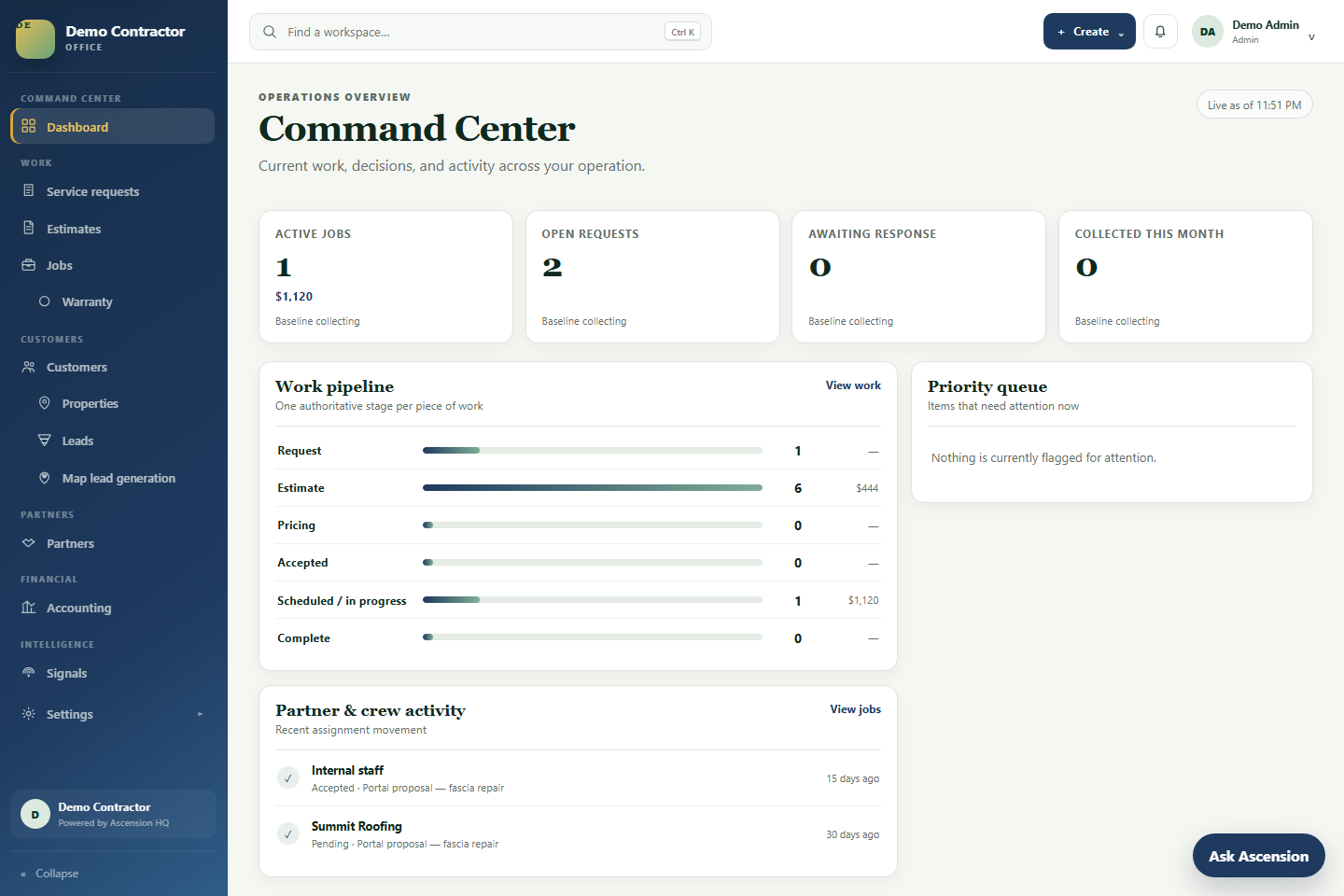
OPERATIONS OVERVIEW
Live workload, stage value, activity, and priority items give leaders a useful morning view without assembling a report.
Platform depth
Capture information once, then reuse it across the commercial and delivery lifecycle—with history intact when customers, properties, teams, or ownership change.
Turn inquiries, campaigns, maps, referrals, and private device signals into accountable opportunities.
Keep people and places related without collapsing them into the same record.
Build scope, takeoffs, pricing, media, options, and approvals in one commercial workspace.
Request partner pricing, compare responses, make awards, and issue clear work packages.
Coordinate office decisions, field work, subcontract packages, completion, and billing handoff.
Carry the relationship beyond project completion through service, warranties, and future work.
One connected lifecycle
Ascension HQ keeps the customer, property, commercial decisions, delivery evidence, and financial context together as work changes hands.
Walk the seeded workflow →One platform, focused experiences
Shared records do not require a shared interface. Permissions, navigation, tasks, and language adapt to the person doing the work.
Leads, CRM, estimates, jobs, partners, accounting, reporting, governance, and tenant settings.
A mobile-ready view for assignments, instructions, status, documentation, and evidence capture.
A private subcontractor experience for pricing requests, awards, schedules, work, and changes.
A tenant-branded portal for proposals, projects, properties, photos, requests, payments, and warranties.
Responsible intelligence
Device signals are privileged personal data. Ascension HQ isolates each signal to the user who registered the device. Only that user can review it and decide whether to create business information.
Trust by design
Company data, branding, users, and experiences stay scoped to the correct tenant.
Office, field, partner, customer, and platform roles receive purpose-built permissions and navigation.
When a signal becomes a shared business record, its origin remains visible for full-circle accountability.
Customer and partner experiences expose only the records and media intended for that relationship.
Plans that grow with the operation
Every plan centers the same customer, property, and work history. Choose the operating depth that matches your business.
For a team replacing disconnected customer and job tracking.
For contractors coordinating sales, crews, and subcontractors.
For organizations needing expanded controls and integration.
Explore the live product
The demo tenant is seeded with sample data. Choose a persona and Ascension HQ will prefill the correct sign-in experience.
Demo content is fictional and resets periodically. No production customer information is shown.
Build one connected operation